
Topic overview
Briefly
- Time Machine can back up to a NAS over the internet via SMB share.
- Restoring from an old Time Machine backup failed due to forgotten password.
- Old Time Machine backups on NAS consumed 25% of disk space.
What happened
The article, written by a Mac user, recounts their experience with using Time Machine (TM) to back up to a network-attached storage (NAS) device, specifically a Synology, and the challenges and lessons learned. The author had previously discussed backup options for Macs on forums and podcasts, and after hearing about Casey Liss's family backup situation, they decided to test whether TM could back up to a NAS over the internet. They confirmed that mounting an SMB share and designating it as a TM target works, though they did not fully verify the process due to time and data costs. They also noted that TM has an advantage in that it avoids copying unchanged file blocks, so the backup size on the target is smaller than the reported data amount.
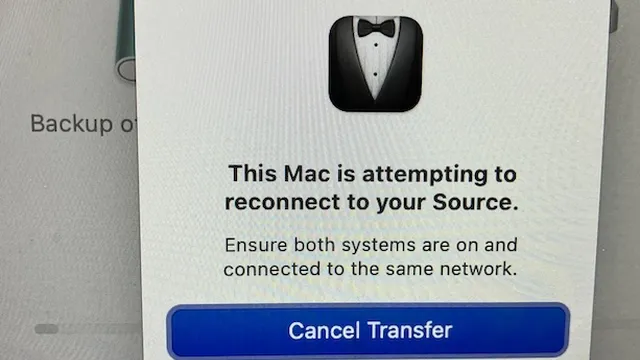
When it came to restoring from TM, the author encountered significant issues. They attempted to restore a Mac Mini from 2020, but the restore process brought back a backup from 2022, and they had forgotten the password for that account, making login impossible. This highlighted the importance of remembering passwords and encryption keys for TM backups. The author also described their initial setup: they created a volume on the Synology called "Synology TM" and gave each Mac its own account with read/write access to that volume. This shared volume approach made it easy to find TM backups on the network, but it also meant that old backups from machines no longer in use remained on the NAS, consuming about 25% of its disk space. The author advises revoking access for old machines to prevent security risks.
Restoring from these old backups was particularly frustrating because they were likely in HFS+ format, which made the process extremely slow. The author also noted that TM's restore interface is limited: it only offers the most recent backup, and password issues can arise. Despite these drawbacks, the author concludes that for a single backup solution, TM to a network drive is probably the best option, but they caution that TM deletes old backups automatically, so it cannot be fully trusted for long-term archival. The article emphasizes the need for careful management of TM backups on NAS devices, including regular cleanup and access control.

Comprehensive report
Full story,
in detail.
Trace the developments that led here, see how the story evolved, and understand the forces and wider context surrounding it.