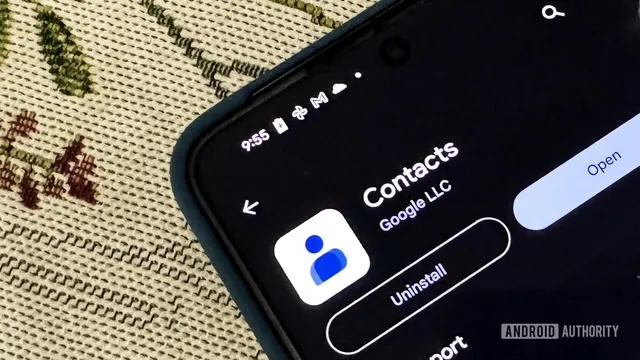
Google introduces 'Your info' feature to simplify sharing contact details
technology
informative
innovative

Google introduces 'Your info' feature to simplify sharing contact details

21
(Update: )
American multinational technology company
  • Google has started rolling out the 'Your info' feature in the Google Contacts app.
  • This feature allows users to easily share their contact information.
  • The rollout reflects Google's commitment to enhancing user experience.
Share opinion
2

Story

In the United States, Google has begun the rollout of a new feature called 'Your info' in the Google Contacts app. This feature is designed to streamline the process of sharing personal information, such as phone numbers and email addresses, with others. Users will find this new section conveniently located at the top of the app's interface, making it easily accessible. The rollout is part of Google's broader initiative to enhance user experience by developing AirDrop-like Tap to Share functionalities for Android devices. Although the Tap to Share feature is not yet available, it is expected to simplify information sharing in the future. The introduction of 'Your info' comes as part of Google's ongoing efforts to improve its applications and services. By making it easier for users to share their contact details, Google aims to facilitate better communication among users. The feature is included in version 4.83.13.940538822 of the Google Contacts app, which indicates that users will need to update their app to access this new functionality. This update reflects Google's commitment to enhancing user convenience and adapting to the evolving needs of its user base. As technology continues to advance, the demand for seamless sharing of information has grown significantly. Users are increasingly looking for ways to share their contact details quickly and efficiently, especially in social and professional settings. The 'Your info' feature is a response to this demand, allowing users to fill in their information and share it with just a few taps. This aligns with the trend of simplifying user interactions with technology, making it more intuitive and user-friendly. In conclusion, the rollout of the 'Your info' feature in the Google Contacts app marks a significant step towards improving how users manage and share their contact information. While the Tap to Share functionality is still in development, the introduction of this feature is a clear indication of Google's focus on enhancing user experience and making communication more accessible. As users adapt to this new feature, it is likely to become an integral part of how they interact with their contacts in the digital age.

Context

The Google Contacts app is a powerful tool designed to help users manage their contacts efficiently. It offers a user-friendly interface that allows individuals to easily add, edit, and organize their contacts. One of the standout features of the app is its integration with other Google services, such as Gmail and Google Calendar, which enables seamless access to contact information across different platforms. Users can quickly find contacts by searching for names, email addresses, or phone numbers, making it a convenient solution for both personal and professional use. Additionally, the app supports the import and export of contacts, allowing users to transfer their contact lists from other platforms with ease. Another significant feature of the Google Contacts app is its ability to group contacts. Users can create custom labels to categorize their contacts, which simplifies the process of managing large contact lists. This grouping feature is particularly useful for individuals who need to keep their personal and professional contacts separate or for businesses that want to organize clients and vendors efficiently. Furthermore, the app allows users to merge duplicate contacts, ensuring that their contact list remains clean and organized. The Google Contacts app also prioritizes user privacy and security. It provides options for users to control who can see their contact information and offers features such as two-factor authentication to protect accounts from unauthorized access. Users can also back up their contacts to Google Drive, ensuring that their information is safe and easily recoverable in case of device loss or failure. This focus on security is essential in today's digital age, where data breaches are increasingly common. In addition to these features, the Google Contacts app is continuously updated to enhance user experience. Recent updates have introduced features such as smart suggestions for adding new contacts based on email interactions and improved synchronization across devices. The app is available on both Android and iOS platforms, making it accessible to a wide range of users. Overall, the Google Contacts app stands out as a comprehensive solution for contact management, combining ease of use with robust features that cater to the needs of both individual users and businesses.