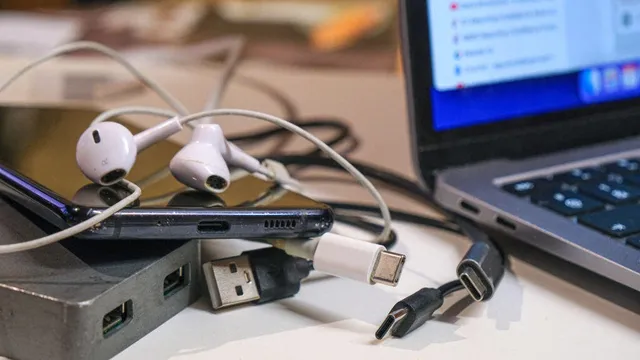
WhatCable app reveals true power of USB-C cables on Mac
technology
informative
innovative

WhatCable app reveals true power of USB-C cables on Mac

10
(Update: )
operating system for Apple computers
  • WhatCable is a free app for Mac users that tests USB-C cables' wattage and connection speed.
  • The app relies on data collected by MacOS and requires an e-marker chip in the cables for accurate readings.
  • Despite some limitations, WhatCable helps users identify slow-charging cables and make informed decisions.
Share opinion
1

Story

In recent months, a new application called WhatCable has emerged for Mac users, specifically those with Apple silicon, to help identify the capabilities of USB-C charging cables. The app utilizes data that MacOS collects to determine the wattage and connection speed of various cables, allowing users to avoid slow-charging options that may hinder their devices' performance. The application is particularly useful for individuals who often purchase inexpensive cables, which may not deliver the promised specifications. Users can download WhatCable for free and access a comprehensive database of previously identified cables, enhancing their understanding of the hardware they possess. However, the app does have limitations. It relies on the presence of an e-marker chip within the cables to provide accurate information. Many cheaper USB cables, particularly those rated at 3 amps or below, often lack this chip, which can lead to incorrect data being displayed. Additionally, MacOS only requests a cable to identify itself when necessary, meaning that the app can only diagnose cable issues, not wall charger problems. This limitation was highlighted by The Verge's Sean Hollister, who found discrepancies in the e-marker data reported by some of his cables. Despite these challenges, WhatCable remains a valuable tool for users who suspect their cables may be underperforming. The app offers a detailed breakdown of the e-marker's signal, helping users make informed decisions about their charging accessories. Currently, WhatCable is only available for Mac, as the USB-C information is readily accessible on Apple devices. The app's creator, Darryl Morley, has indicated that a Linux version is in development, but there are no plans for a Windows version due to the lack of necessary data collection capabilities in the Windows API. As the demand for efficient charging solutions continues to grow, applications like WhatCable play a crucial role in helping users optimize their charging setups. By providing insights into the true capabilities of USB-C cables, the app empowers users to make better purchasing decisions and avoid the pitfalls of low-quality charging accessories. As technology evolves, tools that enhance user experience and performance will become increasingly important in the realm of consumer electronics.

Context

USB-C cables have become increasingly popular due to their versatility and ability to support a wide range of devices. However, not all USB-C cables are created equal, and understanding the differences between them is crucial for consumers and professionals alike. The primary distinctions among USB-C cables lie in their data transfer speeds, power delivery capabilities, and additional features such as video output. These variations can significantly impact the performance of devices, making it essential to choose the right cable for specific needs. Data transfer speeds are one of the most critical factors when evaluating USB-C cables. The USB 3.1 standard allows for data transfer rates of up to 10 Gbps, while the newer USB 3.2 can reach speeds of 20 Gbps. In contrast, USB 2.0 cables, which are also USB-C compatible, only support speeds of up to 480 Mbps. This disparity means that for tasks requiring high-speed data transfer, such as transferring large files or using external storage devices, opting for a USB-C cable that supports USB 3.1 or higher is essential. Additionally, the introduction of USB4 has further enhanced data transfer capabilities, allowing for even faster speeds and improved performance. Power delivery is another significant aspect of USB-C cables. The USB Power Delivery (PD) specification enables cables to deliver up to 100 watts of power, which is sufficient for charging laptops and other high-power devices. However, not all USB-C cables support this feature. Some cables are limited to lower power outputs, making them suitable only for charging smartphones or smaller devices. It is crucial to check the specifications of a USB-C cable to ensure it meets the power requirements of the devices being used. Using an inadequate cable can lead to slow charging or, in some cases, damage to the device. Finally, additional features such as video output capabilities can also differentiate USB-C cables. Many USB-C cables support DisplayPort or HDMI Alt Mode, allowing users to connect their devices to external displays. This feature is particularly beneficial for professionals who require high-resolution video output for presentations or creative work. However, not all USB-C cables support these functionalities, so it is important to verify compatibility before making a purchase. In summary, understanding the differences between USB-C cables in terms of data transfer speeds, power delivery, and additional features is essential for making informed decisions and ensuring optimal performance of devices.